Best Project Management Software for Remote Teams Under 10 People (2026)

Gordhan Das
Founder & CEO
Pricing Verification: Free-tier limits and pricing verified against official pricing pages as of July 2026. Prices and free-tier seat limits change frequently. Confirm current numbers directly on each vendor's website before committing.
Most "best project management software" guides are written for teams of 15, 20, or "small business" in the vague sense that could mean 50 people. If you are actually running a remote team of 3 to 9 people, that is the wrong reference point. You need a tool that stays genuinely useful — and ideally free — at your exact size, not one that starts making sense once you have tripled your headcount.
Here is the detail most guides skip: 10 users is a real cliff-edge for several major tools. Some free plans cap out exactly there. Others advertise themselves to small teams but cap the free tier at 2 or 3 people — a trap if you assumed "small team tool" meant your team specifically.
1. The Cliff-Edge Nobody Points Out Clearly
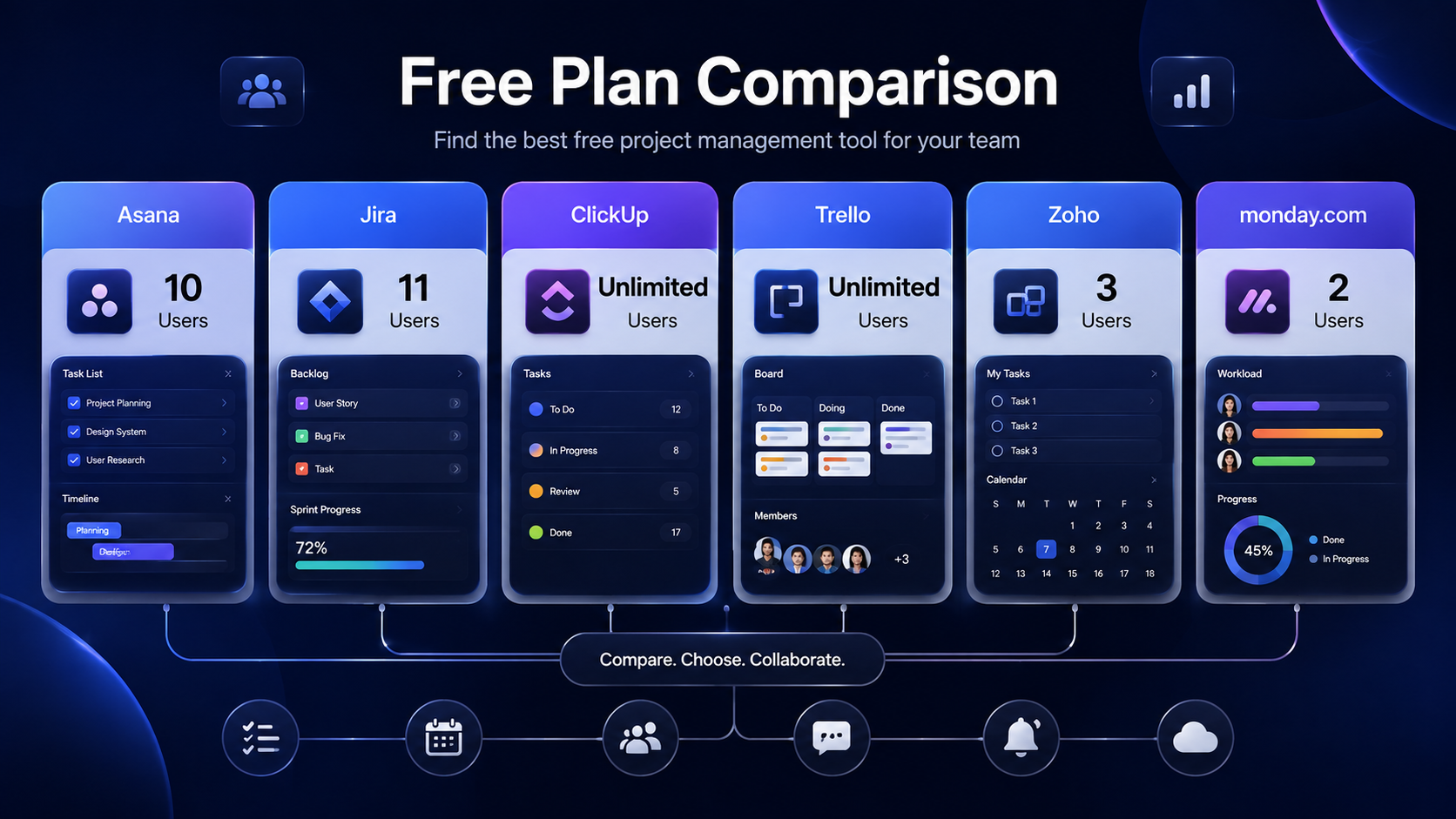
Asana free tier covers exactly 10 users with unlimited tasks and projects. You lose Timeline view, Rules automation, and Milestones, but core task management works fully.
Jira free tier holds up to 11 users before you need to pay — genuinely useful if your team is software-shaped and sits right at that line.
monday.com free tier only covers 2 people — despite heavy small-team marketing, this is the tightest free cap of any major tool on this list, and a real trap if you assumed it would cover a team of 6–9 for free.
Zoho Projects is free for 3 users, but uniquely includes Gantt charts and time tracking on that free tier — features most competitors lock behind a paid plan.
ClickUp and Trello advertise unlimited users on their free tiers, but functionality — automations, dashboards, advanced views — is capped rather than user count.
If your team is under 10 and you want to stay on a free plan as long as possible, Asana or Jira's free tiers are your best bet on user count alone — but the right pick still depends on what your team actually does.
2. The Shortlist: Tool-by-Tool Breakdown
1. Asana
Best Free Tier for Up to 10 PeopleThe free plan explicitly covers up to 10 users with unlimited tasks and projects. No other major tool matches that exact number on a genuinely free plan. What you lose on free: Timeline (Gantt-style) view, the Rules automation engine, and Milestones — real limitations if your team relies on automated task handoffs.
2. Trello
Fastest OnboardingGenuinely the fastest tool to onboard a new remote hire — drag-and-drop Kanban boards that anyone understands within minutes, no training call required. The free plan limits you to one Power-Up per board, and Trello strains once projects involve real dependencies or reporting needs.
3. ClickUp
Most Features on FreeClickUp's free tier is unusually generous — tasks, docs, and multiple views without a hard seat cap. The interface has a real learning curve; it packs in enough views and features that a very small team may feel it is more tool than they need. Pricing on the higher Business tier was reported inconsistently across sources at the time of writing — confirm the current number directly on ClickUp's pricing page before budgeting.
4. Zoho Projects
Free Gantt + Time TrackingUniquely includes Gantt charts and time tracking on its free tier — features that Trello, Asana, and most competitors reserve for paid plans. The tradeoff: the free tier caps out at just 3 users, which will not cover most teams in the 4–9 person range without upgrading.
5. monday.com
Best Visual UX, Weakest Free TierColor-coded boards that make project status visible at a glance, plus automation recipes that handle task handoffs across time zones — genuinely strong for distributed teams working asynchronously. The trap: the free tier only covers 2 users, despite heavy small-team marketing. Do not assume "small team" branding means your specific team size is covered for free.
3. Quick Comparison
| Tool | Free Tier User Cap | Best Strength | Real Limitation |
|---|---|---|---|
| Asana | 10 users | Most generous free user count | No automation or timeline on free |
| Jira | 11 users | Best for software/engineering teams | Less intuitive for non-technical work |
| Trello | Unlimited (feature-capped) | Fastest onboarding of any tool | Weak at complex, dependent projects |
| ClickUp | Unlimited (feature-capped) | Most features packed into free plan | Steep learning curve, pricing varies by source |
| Zoho Projects | 3 users | Free Gantt + time tracking included | Free tier caps fast for teams over 3 |
| monday.com | 2 users only | Best visual and async-friendly UX | Tightest free tier in the category |
4. Which One Should You Actually Pick?
The right answer depends less on "which tool is best" in the abstract and more on where your exact headcount lands relative to each tool's free-tier cliff-edge. That is the detail worth checking first, before feature lists.
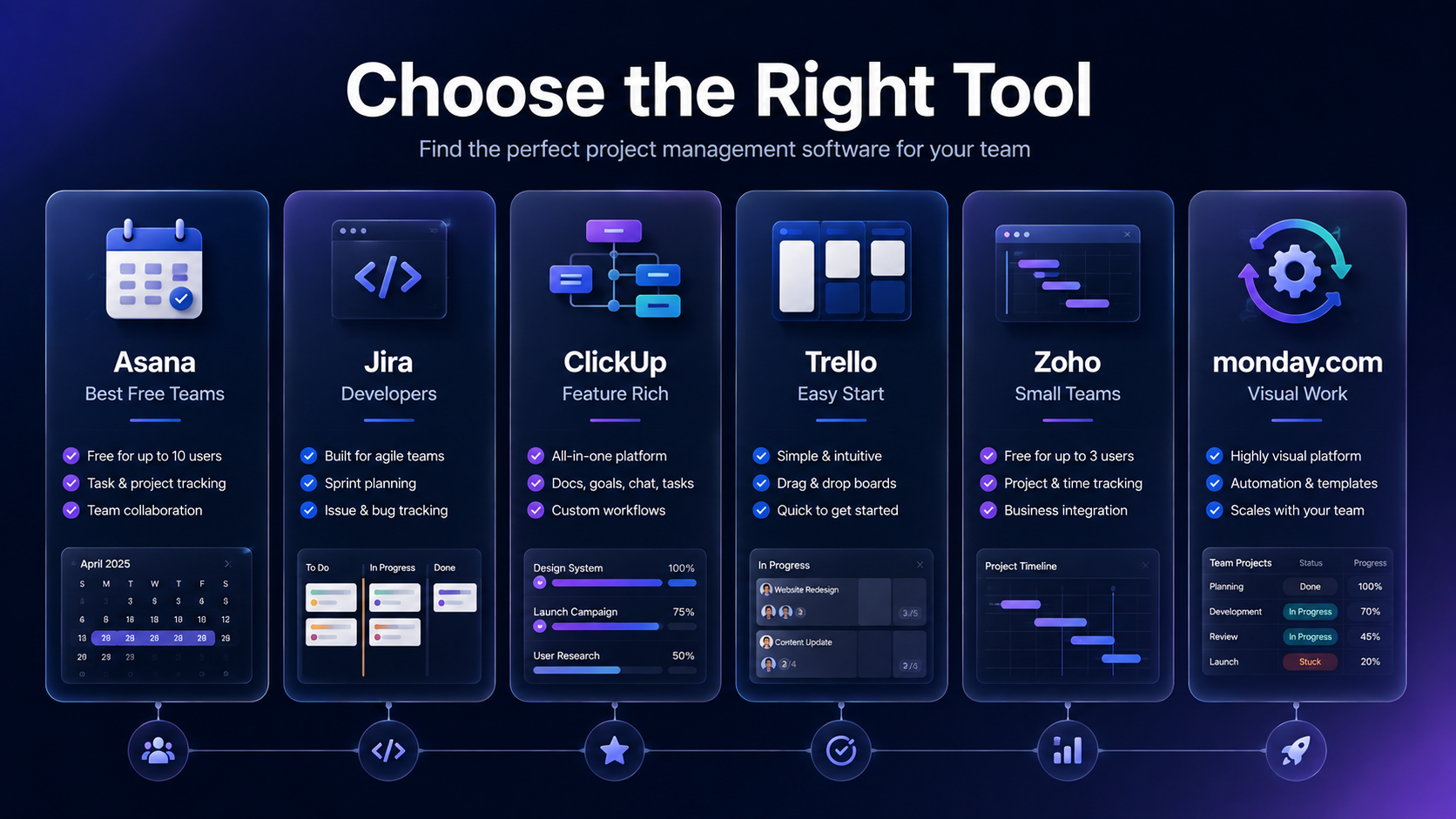
Team of 7–10, want to stay free as long as possible: Asana.
Software or engineering team under 11 people: Jira.
Simplest possible onboarding, straightforward work: Trello.
Maximum features on a free plan, comfortable with a learning curve: ClickUp.
Team of 3 or fewer, specifically need Gantt charts for free: Zoho Projects.
Planning to pay from day one, want the best visual async-friendly experience: monday.com.
Unovix Editorial Transparency
This article was authored with strict technical and empirical integrity. Unovix never publishes sponsored articles, paid soft lobbies, or non-peer-reviewed tools reviews. We maintain deep operational servers to stress-test software performance parameters independently.