Hostinger vs Cloudflare Pages for Static Sites: What Actually Makes Sense in 2026

Gordhan Das
Founder & CEO

Pricing Verification: Pricing and features verified against official documentation as of July 2026. Prices and free-tier limits change. Confirm current details before committing.
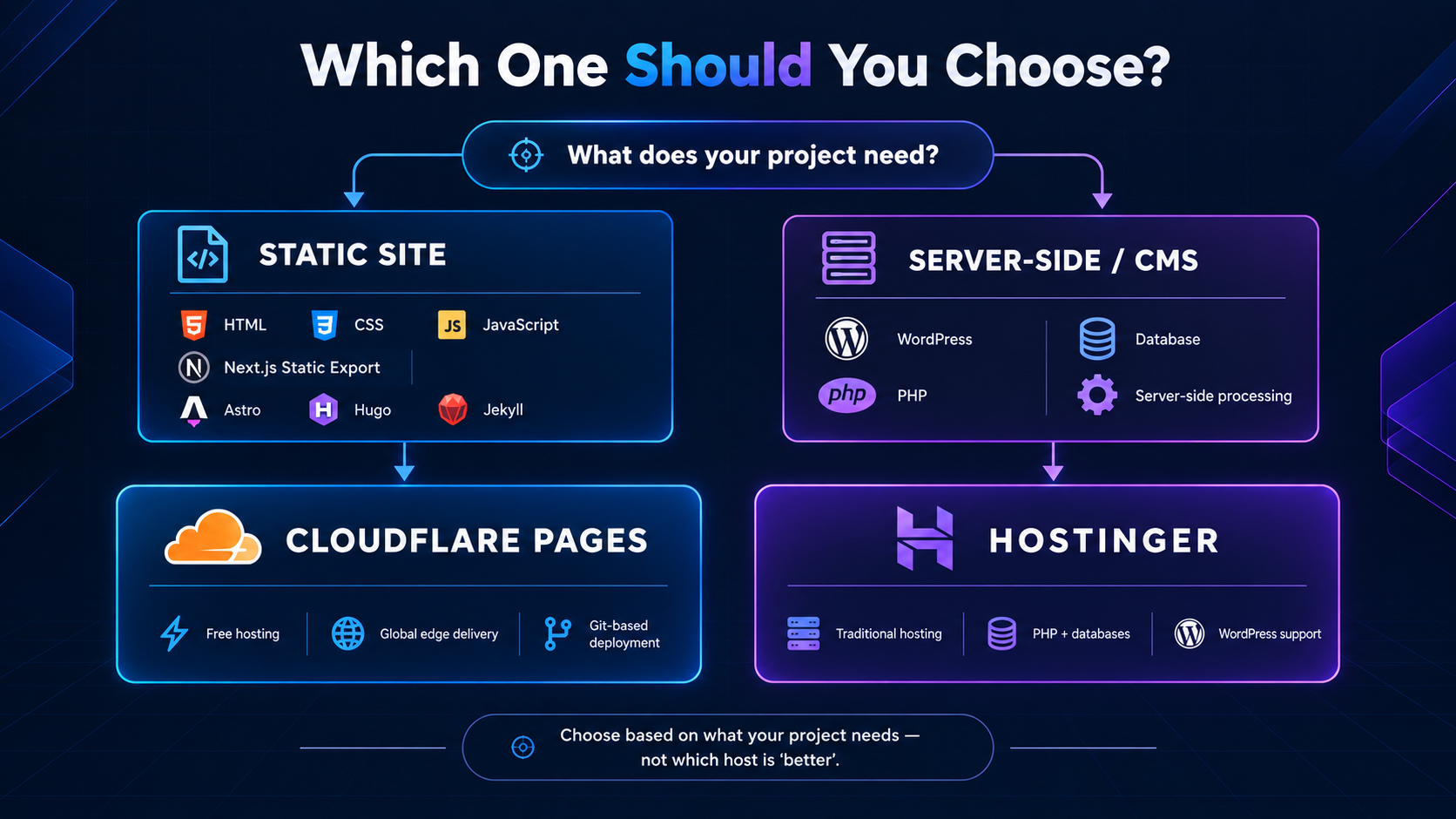
If you are searching "Hostinger vs Cloudflare Pages," there is a good chance you are about to compare two tools that do not actually compete with each other. Hostinger is a traditional web hosting company — shared hosting, VPS, managed WordPress. Cloudflare Pages is a static site hosting and deployment platform built on Cloudflare's global edge network. They can genuinely complement each other rather than substitute for one another.
That said, if you have a purely static site — no database, no server-side PHP, no WordPress — the real question is not "which is better" in the abstract. It is "do I actually need traditional hosting at all?" This guide answers that honestly, using unovix.com itself (built on Next.js, deployed on Cloudflare Pages) as a real reference point.
1. The Question Behind the Question
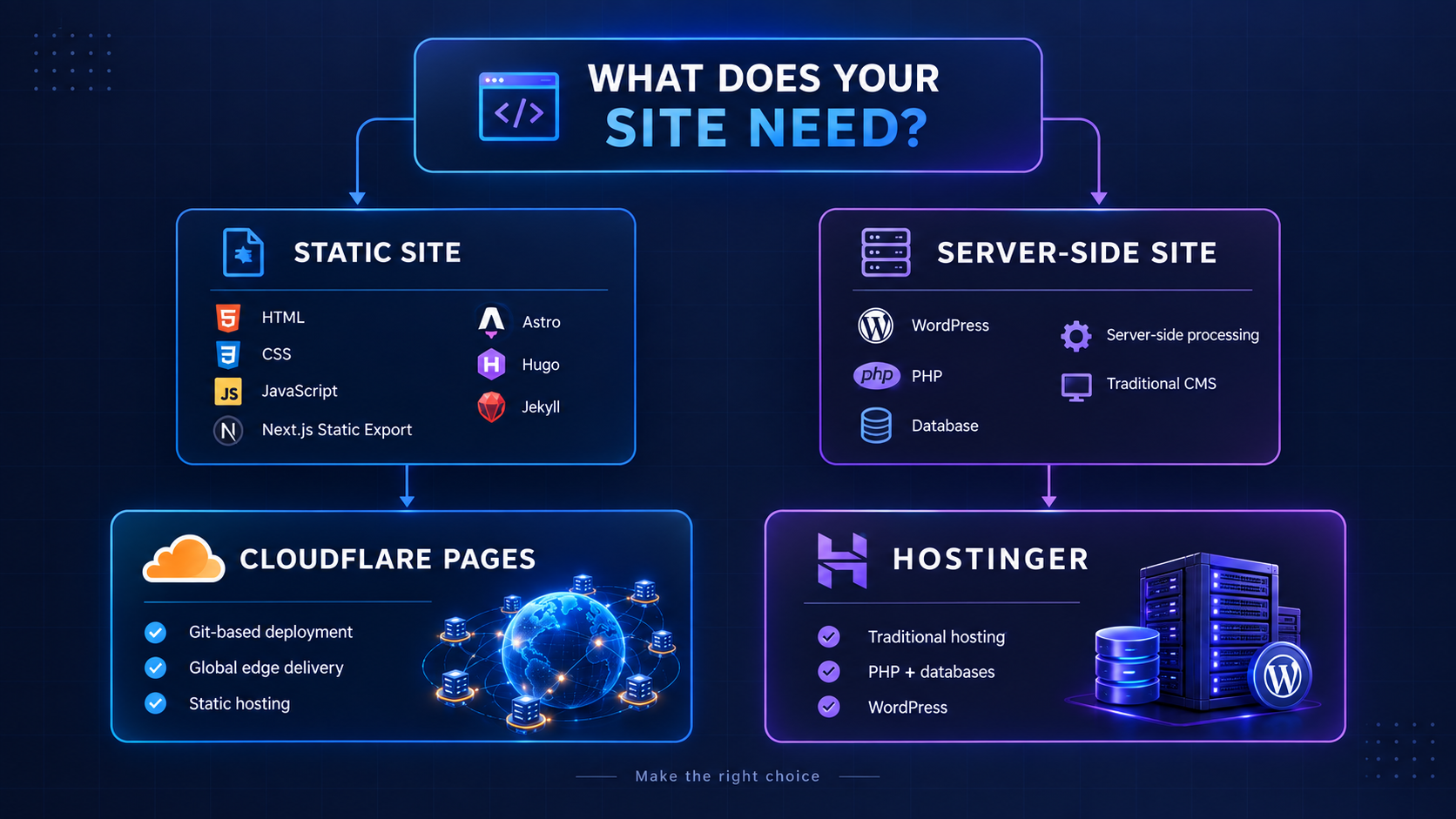
Before comparing anything, ask yourself: what does your site actually need to run?
Pure static HTML/CSS/JS, or a static-export framework (Next.js static export, Astro, Hugo, Jekyll): you do not need traditional hosting at all. Cloudflare Pages will almost always be the better choice — faster, and free.
WordPress, PHP, a database, or anything needing server-side processing beyond serverless functions: Cloudflare Pages alone cannot run this. You need Hostinger or similar traditional hosting.
If you are not sure which category you are in: if your site was built with npm run build and produces a folder of static files, you are in the first category.
2. Cloudflare Pages: What It Actually Offers
Cloudflare Pages deploys static sites — and increasingly, apps with server-side logic via Cloudflare Workers and Functions — directly to Cloudflare's global edge network across over 300 locations worldwide.
What you get on the free tier
Unlimited bandwidth — genuinely unlimited, not a soft cap that gets throttled.
Global CDN delivery across 300+ edge locations with automatic SSL on custom domains.
Git-based deployment — push to GitHub or GitLab, Cloudflare builds and deploys automatically.
Honest limitation
Cloudflare Pages only deploys to Cloudflare's own ecosystem. If part of your stack lives elsewhere — a separate backend API on a VPS, for instance — you are managing two separate deployment workflows, not one unified pipeline. The setup is developer-oriented: if you are comfortable with Git and build commands it takes minutes; if not, it can feel more like configuring a CI/CD pipeline than setting up a website.

3. Hostinger: What It Actually Offers
Hostinger is a traditional hosting provider: shared hosting, VPS, and managed WordPress plans built around affordability and a beginner-friendly setup.
What you get
Zero technical prerequisites — a guided checkout flow with no Git, no build commands, no framework detection required.
Full server capability — database support, WordPress and PHP compatibility, and FTP/file manager deployment.
Traditional email hosting tied to your domain — something Cloudflare Pages does not provide on its own.
Honest limitation for purely static sites
You are paying for and managing infrastructure — a database-capable server — that a static site does not need. It works, but it is genuinely more than necessary for HTML, CSS, and JavaScript-only projects.
4. Head-to-Head: Static Sites Specifically
| Factor | Cloudflare Pages | Hostinger |
|---|---|---|
| Cost for a static site | Free | Requires a paid hosting plan |
| Setup difficulty | Requires Git and build knowledge | Beginner-friendly, no coding needed |
| Global edge performance | 300+ locations, built-in | Depends on plan and data center |
| Bandwidth | Unlimited on free tier | Plan-dependent limits |
| WordPress / PHP / databases | No | Yes |
| Best for | Developers deploying static or Jamstack sites | Anyone needing full server capability or a no-code setup |
5. Real Experience: Running Unovix on Cloudflare Pages
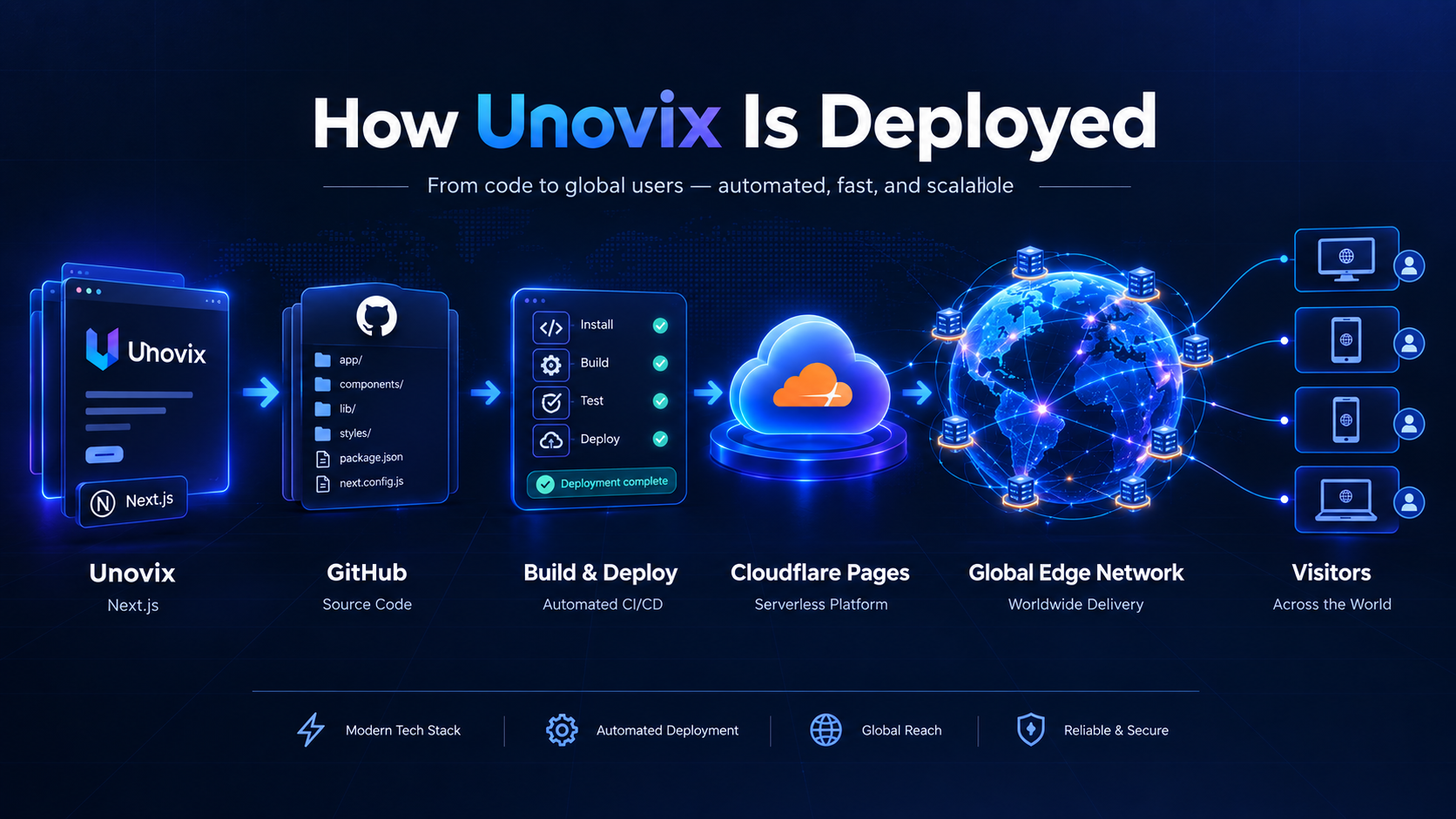
Unovix itself runs on Next.js, deployed through Cloudflare Pages. In practice, this means: pushing to the main branch triggers an automatic build and deploy, the site serves from Cloudflare's edge with no bandwidth concern regardless of traffic spikes, and there has been no need to think about server management at all — because there is no server to manage.
The tradeoff that has actually shown up in practice: Cloudflare's adapter layer for frameworks like Next.js — particularly anything using server-side rendering rather than pure static export — adds a real configuration step that a simpler static export would not need. Worth knowing going in if you are deploying a framework-based site rather than plain HTML.
6. When to Choose Each
Choose Hostinger when
Running WordPress, or any CMS requiring a database and server-side code.
You want a guided checkout rather than a Git-based deploy flow.
You need traditional email hosting tied to your domain.
Your project may need server-side functionality that goes beyond Cloudflare Workers.
Choose Cloudflare Pages when
Your site is static, or built with a framework that supports static export (Next.js, Astro, Hugo, Jekyll).
You want zero hosting cost with genuinely unlimited bandwidth.
You are comfortable with a Git-based deployment workflow.
Performance and global edge delivery matter more than a no-code setup.
7. The Verdict
For genuinely static sites
Cloudflare Pages wins outright — it is free, faster by virtue of its edge network, and removes server management entirely. There is no realistic scenario where paying for traditional hosting to serve static files makes more sense once you are comfortable with a Git-based workflow.
For WordPress, databases, or server-side processing
Hostinger or similar traditional hosting is not optional — it is necessary, regardless of setup complexity trade-offs. Cloudflare Pages simply cannot run this class of workload on its own.
The two are not really competitors. The right question is not "which is better" — it is "what does my project actually need to run," and that answer points you to one or the other almost every time.
Unovix Editorial Transparency
This article was authored with strict technical and empirical integrity. Unovix never publishes sponsored articles, paid soft lobbies, or non-peer-reviewed tools reviews. We maintain deep operational servers to stress-test software performance parameters independently.